Using partial rendering layers
Partial rendering layer enables rendering only of the areas that are effectively changed compared to the previous frame. The redrawing of only the specific areas is implemented by rendering stencil mask before rendering representing the changed objects and layers. Because partial rendering uses stencil buffers, when you use stencil buffers in your application, you cannot use partial rendering.
Note that partial rendering is a tradeoff between the GPU render time and CPU evaluation time. When using partial rendering you will notice an increase in performance in your application only when the GPU render time is prohibitively long (for example, when you use complex shaders). See Partial rendering.
In order to get notifications from a scene, you need to specify also a partial rendering composer for the scene. Kanzi supports one partial rendering composer in the render tree.
Partial rendering is useful if:
- Your application is such that only certain parts of the displayed scene are updated each frame. For example, a clock whose hands move but the clock itself does not.
- The fragment shading on the GPU is the bottleneck for application performance. To detect whether the applications is fill-rate bound or not, you can override all shaders with simple fragment shader and see the impact. To see the difference in the Kanzi Studio Preview, enter the Debug mode and select Performance HUD. Many GPU vendors provide external profiling tools to detect pipeline bottlenecks.
Using partial rendering
Before using partial rendering make sure that:
- Animations are not animating materials directly, but objects instead. Objects propagate material property values to materials.
- All custom property types that affect visual result have Affect Rendering property enabled.
When Affect Rendering is disabled, the property changes do not trigger rendering.
To use partial rendering:
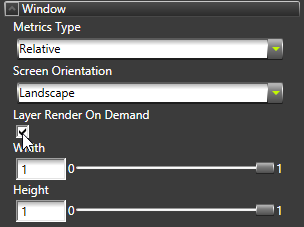
- In the Project select the Screen and in the Properties enable the Layer Render On Demand property.
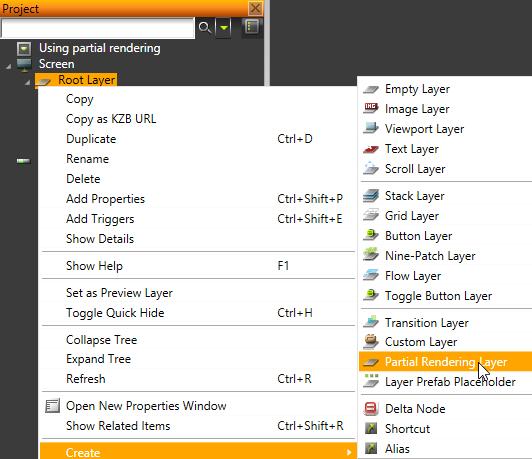
- Right-click the Root Layer and select Create > Partial Rendering Layer.
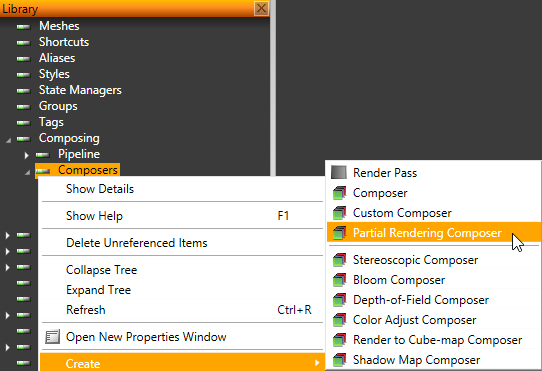
- In Library right-click Composing > Composers and select Create > Partial Rendering Composer.
- Right-click Partial Rendering Composer and select Create > Render Pass.
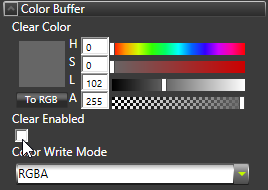
- Select the Render Pass you just created and in the Properties in the Color Buffer disable the Clear Enabled property.
- In the Project place to the Partial Rendering Layer the scene to which you want to apply partial rendering.
For example, move the Scene from the Viewport Layer to the Partial Rendering Layer.
- Select the scene you just moved to the Partial Rendering Layer and in the Properties set the Composer to Partial Rendering Composer.
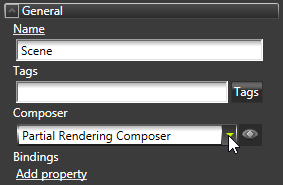
- Select the Partial Rendering Layer and in the Properties set either the Layer Background Brush Color property to a solid color or the Layer Background Brush Texture to a texture you want to use as the background.
Kanzi uses the background brush color or texture to clear the contents of the partial rendering layer. Because partial rendering layers are rendered into their own FBOs they must clear the area from the previous frame in their own framebuffers.
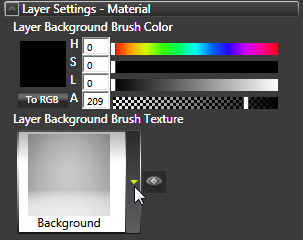
- (Optional) If you need to refresh dirty area of the screen, call
kzuPartialRenderingLayerRefresh() in code.
Note that you cannot use Layer Render On Demand if the composer of one of the layers in your project has side effects on the application state. For example, when using Layer Render On Demand, a scene rendered with a render to texture composer in one viewport layer is not correctly rendered to a texture in another layer.
Known issues
Partial rendering known issues:
- Effect composers are not supported with partial rendering.
- Animating or modifying material properties does not propagate change notification to object nodes. Animate the object properties instead.
See also
Partial rendering
Rendering best practices
Rendering
Open topic with navigation